

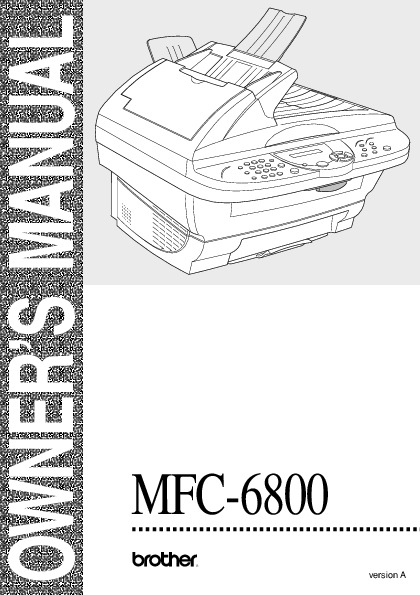
 Brother MFC-6800 Laser Multifunction Printer Scanner Copier & Fax Users Manual - Enlarge page 1 of 216
 2 of 216
 3 of 216
 4 of 216
 5 of 216
 6 of 216
 7 of 216
 8 of 216
 9 of 216
 10 of 216
 11 of 216
 12 of 216
 13 of 216
 14 of 216
 15 of 216
 16 of 216
 17 of 216
 18 of 216
 19 of 216
 20 of 216
 21 of 216
 22 of 216
 23 of 216
 24 of 216
 25 of 216
 26 of 216
 27 of 216
 28 of 216
 29 of 216
 30 of 216
 31 of 216
 32 of 216
 33 of 216
 34 of 216
 35 of 216
 36 of 216
 37 of 216
 38 of 216
 39 of 216
 40 of 216
 41 of 216
 42 of 216
 43 of 216
 44 of 216
 45 of 216
 46 of 216
 47 of 216
 48 of 216
 49 of 216
 50 of 216
From inside (document excerpt):
Brother Laser Printers user’s guide for model MFC-6800. Free PDF Service and Owner’s Manual Download.
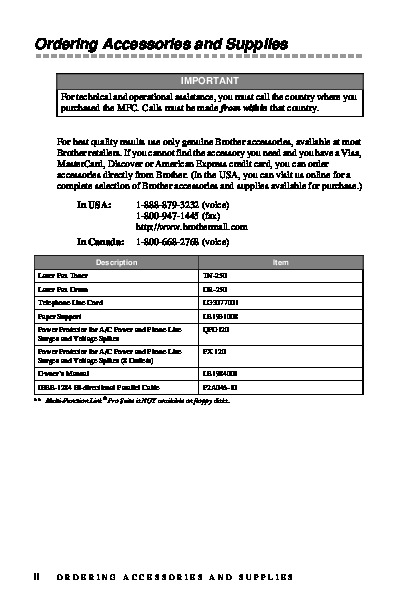
Toner cartridge for Brother Printer:
Description Item
Laser Fax Toner TN-250
Laser Fax Drum DR-250
Telephone Line Cord LG3077001
Paper Support LE1931008
Power Protector for A/C Power and Phone Line QPD120
Surges and Voltage Spikes
Power Protector for A/C Power and Phone Line FX 120
Surges and Voltage Spikes (8 Outlets)
Owner’s Manual LE1984001 IEEE-1284 Bi-directional Parallel Cable F2A046-10
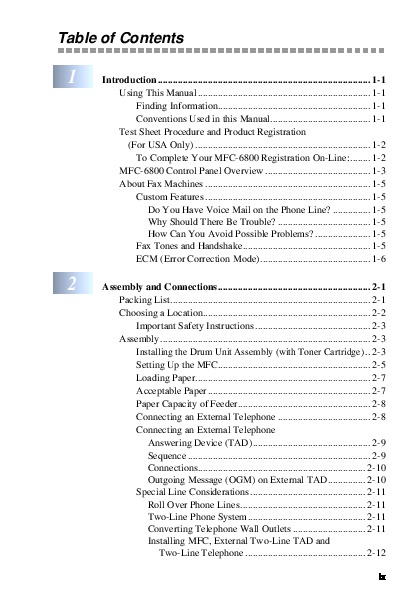
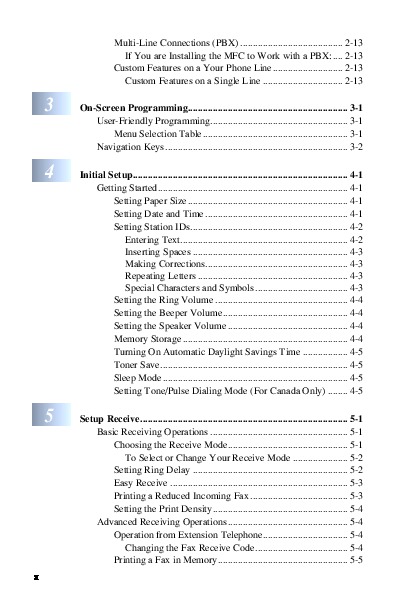
Contents
Introduction. 1-1
Using This Manual. 1-1
Finding Information. 1-1
Conventions Used in this Manual. 1-1
Test Sheet Procedure and Product Registration
(For USA Only). 1-2
To Complete Your MFC-6800 Registration On-Line:. 1-2
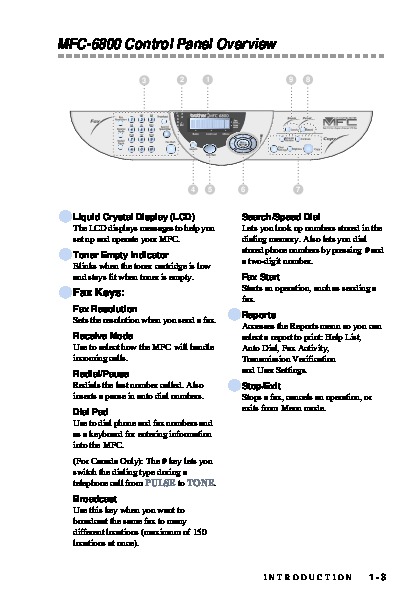
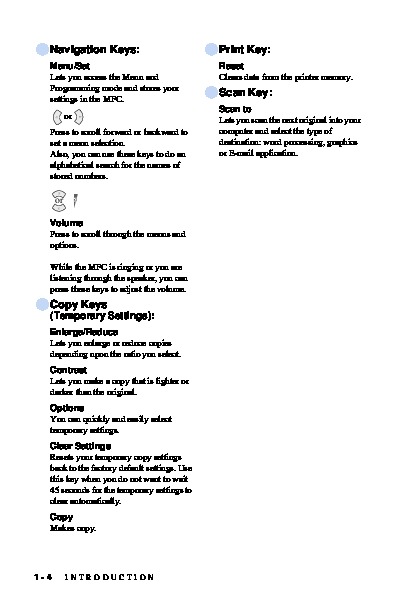
MFC-6800 Control Panel Overview. 1-3
About Fax Machines. 1-5
Custom Features. 1-5
Do You Have Voice Mail on the Phone Line?. 1-5
Why Should There Be Trouble?. 1-5
How Can You Avoid Possible Problems?. 1-5
Fax Tones and Handshake. 1-5
ECM (Error Correction Mode). 1-6
Assembly and Connections. 2-1
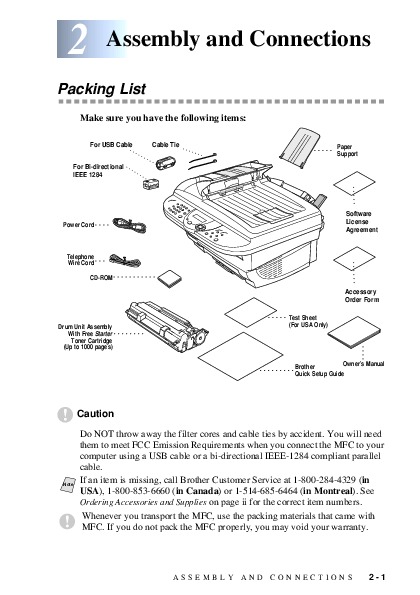
Packing List. 2-1
Choosing a Location. 2-2
Important Safety Instructions. 2-3
Assembly. 2-3
Installing the Drum Unit Assembly (with Toner Cartridge). 2-3
Setting Up the MFC. 2-5
Loading Paper. 2-7
Acceptable Paper. 2-7
Paper Capacity of Feeder. 2-8
Connecting an External Telephone. 2-8
Connecting an External Telephone
Answering Device (TAD). 2-9
Sequence. 2-9
Connections. 2-10
Outgoing Message (OGM) on External TAD. 2-10
Special Line Considerations. 2-11
Roll Over Phone Lines. 2-11
Two-Line Phone System. 2-11
Converting Telephone Wall Outlets. 2-11
Installing MFC, External Two-Line TAD and Two-Line Telephone. 2-12
Multi-Line Connections (PBX). 2-13 If You are Installing the MFC to Work with a PBX:. 2-13 Custom Features on a Your Phone Line. 2-13 Custom Features on a Single Line. 2-13
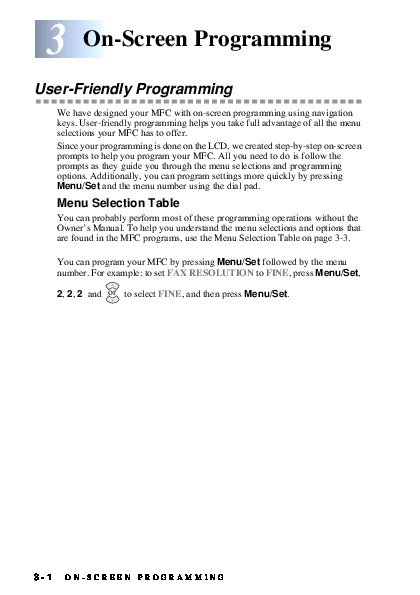
On-Screen Programming. 3-1
User-Friendly Programming. 3-1
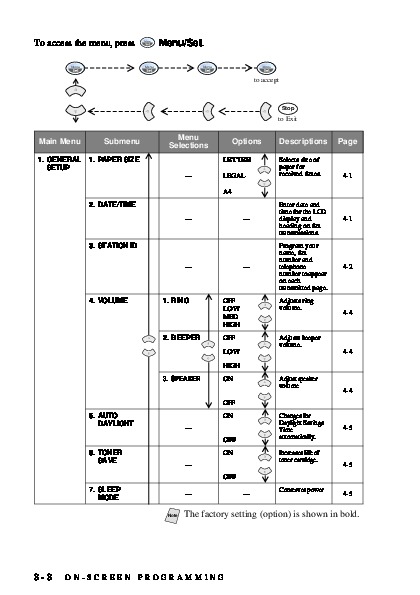
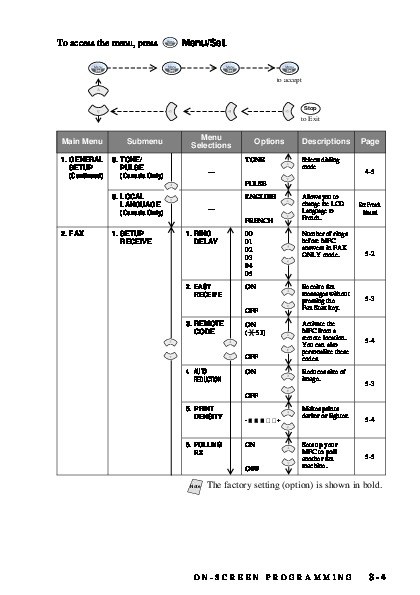
Menu Selection Table. 3-1
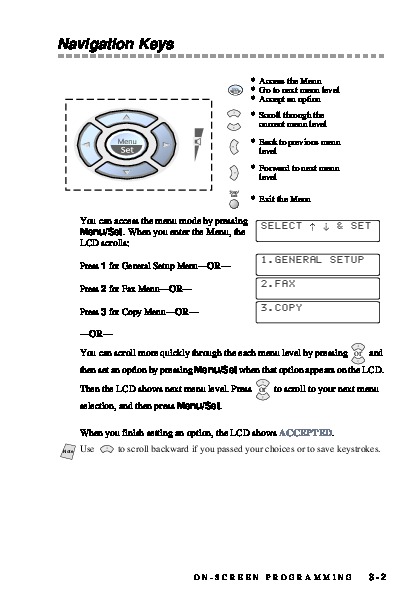
Navigation Keys. 3-2
Initial Setup. 4-1
Getting Started. 4-1
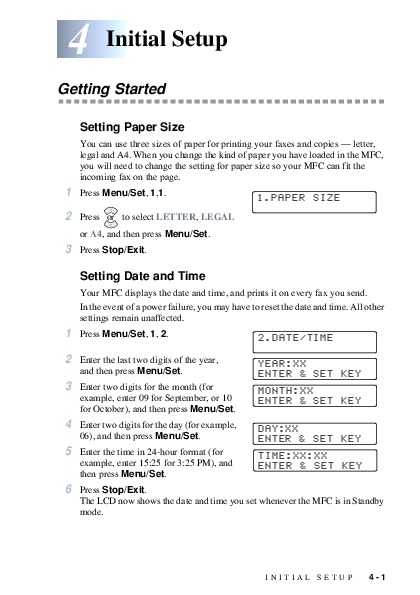
Setting Paper Size. 4-1
Setting Date and Time. 4-1
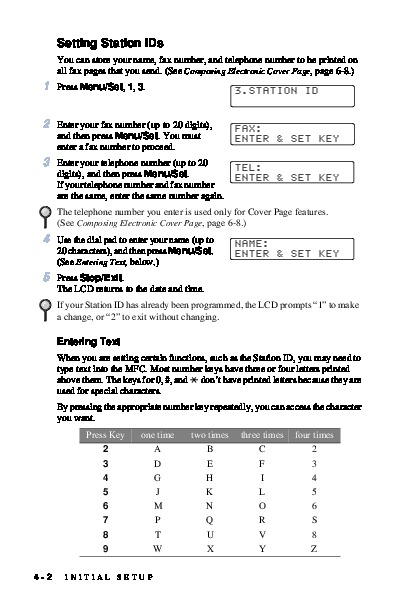
Setting Station IDs. 4-2
Entering Text. 4-2
Inserting Spaces. 4-3
Making Corrections. 4-3
Repeating Letters. 4-3
Special Characters and Symbols. 4-3
Setting the Ring Volume. 4-4
Setting the Beeper Volume. 4-4
Setting the Speaker Volume. 4-4
Memory Storage. 4-4
Turning On Automatic Daylight Savings Time. 4-5
Toner Save. 4-5
Sleep Mode. 4-5
Setting Tone/Pulse Dialing Mode (For Canada Only). 4-5
5
Setup Receive. 5-1
Basic Receiving Operations. 5-1
Choosing the Receive Mode. 5-1
To Select or Change Your Receive Mode. 5-2
Setting Ring Delay. 5-2
Easy Receive. 5-3
Printing a Reduced Incoming Fax. 5-3
Setting the Print Density. 5-4
Advanced Receiving Operations. 5-4
Operation from Extension Telephone. 5-4
Changing the Fax Receive Code. 5-4
Printing a Fax in Memory. 5-5
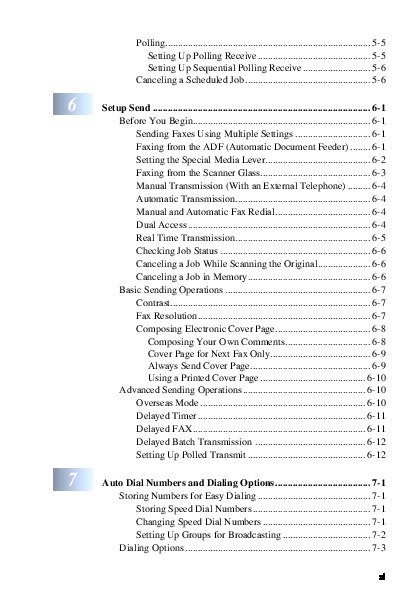
Polling. 5-5
Setting Up Polling Receive. 5-5
Setting Up Sequential Polling Receive. 5-6
Canceling a Scheduled Job. 5-6
Setup Send. 6-1
Before You Begin. 6-1
Sending Faxes Using Multiple Settings. 6-1
Faxing from the ADF (Automatic Document Feeder). 6-1
Setting the Special Media Lever. 6-2
Faxing from the Scanner Glass. 6-3
Manual Transmission (With an External Telephone). 6-4
Automatic Transmission. 6-4
Manual and Automatic Fax Redial. 6-4
Dual Access. 6-4
Real Time Transmission. 6-5
Checking Job Status. 6-6
Canceling a Job While Scanning the Original. 6-6
Canceling a Job in Memory. 6-6
Basic Sending Operations. 6-7
Contrast. 6-7
Fax Resolution. 6-7
Composing Electronic Cover Page. 6-8
Composing Your Own Comments. 6-8
Cover Page for Next Fax Only. 6-9
Always Send Cover Page. 6-9
Using a Printed Cover Page. 6-10
Advanced Sending Operations. 6-10
Overseas Mode. 6-10
Delayed Timer. 6-11
Delayed FAX. 6-11
Delayed Batch Transmission. 6-12
Setting Up Polled Transmit. 6-12
Auto Dial Numbers and Dialing Options. 7-1
Storing Numbers for Easy Dialing. 7-1
Storing Speed Dial Numbers. 7-1
Changing Speed Dial Numbers. 7-1
Setting Up Groups for Broadcasting. 7-2
Dialing Options. 7-3
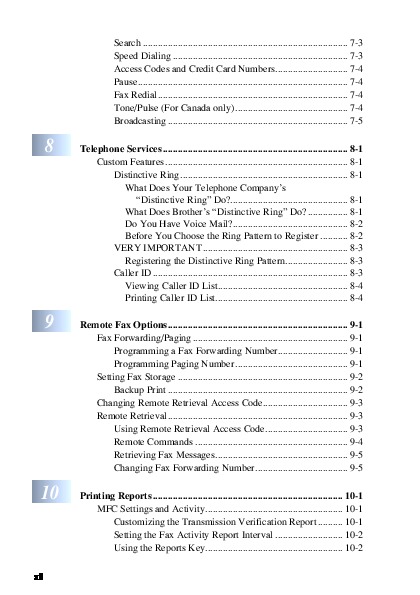
Search. 7-3 Speed Dialing. 7-3 Access Codes and Credit Card Numbers. 7-4 Pause. 7-4 Fax Redial. 7-4 Tone/Pulse (For Canada only). 7-4 Broadcasting. 7-5
Telephone Services. 8-1
Custom Features. 8-1
Distinctive Ring. 8-1
What Does Your Telephone Company’s
“Distinctive Ring” Do?. 8-1
What Does Brother’s “Distinctive Ring” Do?. 8-1
Do You Have Voice Mail?. 8-2
Before You Choose the Ring Pattern to Register. 8-2
VERY IMPORTANT. 8-3
Registering the Distinctive Ring Pattern. 8-3
Caller ID. 8-3
Viewing Caller ID List. 8-4
Printing Caller ID List. 8-4
Remote Fax Options. 9-1
Fax Forwarding/Paging. 9-1
Programming a Fax Forwarding Number. 9-1
Programming Paging Number. 9-1
Setting Fax Storage. 9-2
Backup Print. 9-2
Changing Remote Retrieval Access Code. 9-3
Remote Retrieval. 9-3
Using Remote Retrieval Access Code. 9-3
Remote Commands. 9-4
Retrieving Fax Messages. 9-5
Changing Fax Forwarding Number. 9-5
Printing Reports. 10-1
MFC Settings and Activity. 10-1
Customizing the Transmission Verification Report. 10-1
Setting the Fax Activity Report Interval. 10-2
Using the Reports Key. 10-2
Wikipedia’s page for Brother Industries
Publisher: www.brother-usa.com